If you send an email via iOS, a signature will be automatically added in your reply, such as Sent from my iPhone. But do you know that you can customize this signature as well?
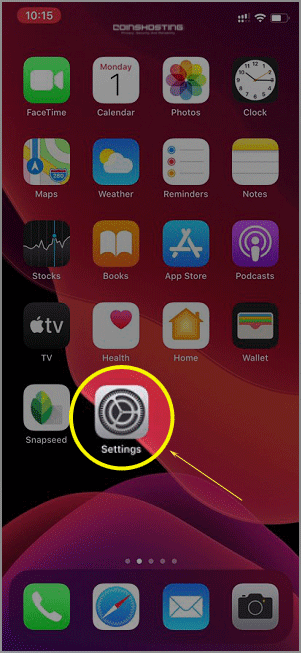
1. Open the main screen of your Apple Mobile and click on the Settings icon.
2. Scroll down and tap on Mail.

3. Now tap on Signature.
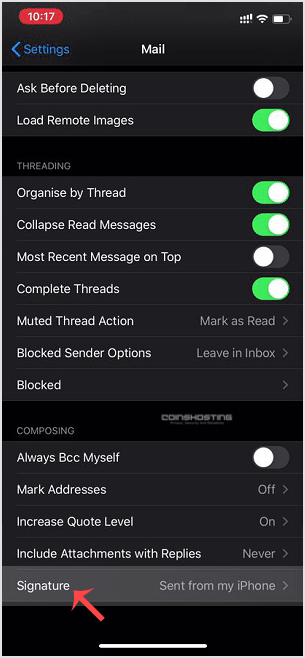
4. Customize your signature.

After changing it, your iOS will send your customized signature instead of the default signature.
- Home
-
Store
- Browse All
- Managed cPanel Hosting
- VPS - KVM Linux Server
- VPS - KVM Linux RDP Server
- VPS - KVM Windows RDP Server
- Dedicated Servers (USA)
- Dedicated Servers (Netherlands)
- Dedicated Servers (Switzerland)
- SSL Certificates
- Linux LXC VPS Containers
- Linux KVM VPS – SolusVM
- Register a New Domain
- Transfer Domains to Us
- Announcements
- Knowledgebase
- Network Status
- Affiliates
- Contact Us
-
More