If your VPS is down/offline, you can start it using SolusVM.
1. Login to your SolusVM Control Panel.
2. If you have multiple VPS, select the appropriate one.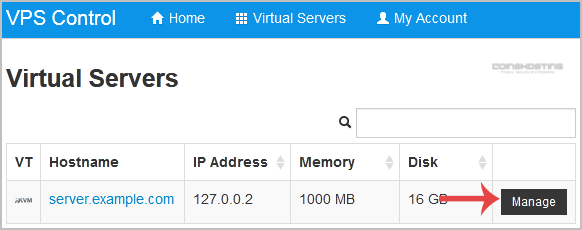
3. Scroll down, and you can see a Boot option. Click it!
4. It will show a confirmation window. Click on Yes.
It can take a few minutes for your VPS to start.
- Home
-
Store
- Browse All
- Managed cPanel Hosting
- VPS - KVM Linux Server
- VPS - KVM Linux RDP Server
- VPS - KVM Windows RDP Server
- Dedicated Servers (USA)
- Dedicated Servers (Netherlands)
- Dedicated Servers (Switzerland)
- SSL Certificates
- Linux LXC VPS Containers
- Linux KVM VPS – SolusVM
- Register a New Domain
- Transfer Domains to Us
- Announcements
- Knowledgebase
- Network Status
- Affiliates
- Contact Us
-
More