We recommended you to remove unused themes. This is a good practice for protecting your WordPress website from vulnerabilities.
1. Login to your WordPress admin dashboard.
2. Under the dashboard menu, hover your mouse on Appearance and then click on Themes.
3. Hover your mouse on a theme that is not active and unused, or you wish to remove that theme. It will show you the option Theme Details. Click it.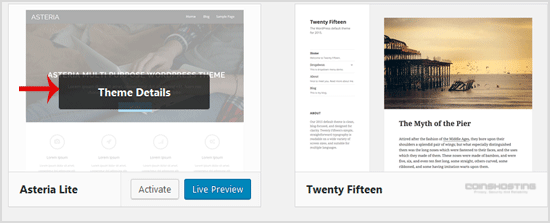
4. A simple window will open. You can see the Delete option at the bottom area on the right side of the window. Click it!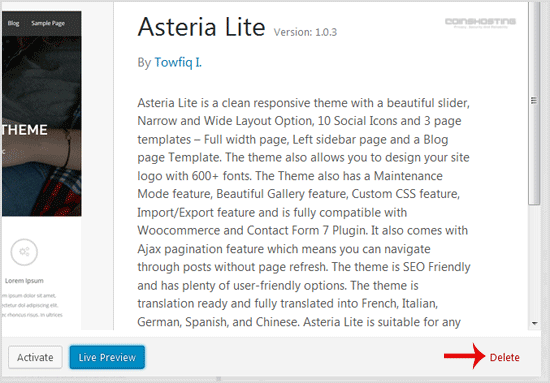
5. A confirmation window will open. Click OK to remove your theme.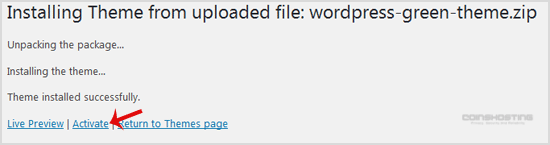
The theme is successfully removed!
- Home
-
Store
- Browse All
- Managed cPanel Hosting
- VPS - KVM Linux Server
- VPS - KVM Linux RDP Server
- VPS - KVM Windows RDP Server
- Dedicated Servers (USA)
- Dedicated Servers (Netherlands)
- Dedicated Servers (Switzerland)
- SSL Certificates
- Linux LXC VPS Containers
- Linux KVM VPS – SolusVM
- Register a New Domain
- Transfer Domains to Us
- Announcements
- Knowledgebase
- Network Status
- Affiliates
- Contact Us
-
More